

Post author: Royalcig
Publication date: 14/11/2026
Is your electronic cigarette not charging or staying off? Learn what to check on the cable, port and battery, and the safety precautions to follow.
An electronic cigarette that no longer charges can show several symptoms: no indicator light comes on when it is plugged in, the battery level stays the same, charging stops or the device no longer starts. These signs do not necessarily point to the same fault.
Before considering any intervention, it is important to distinguish between a problem with the cable, connection, power supply or battery. The checks below apply to rechargeable devices and must always be adapted to the instructions for the particular model.
What should you check first if your electronic cigarette will not charge?
Before any attempt: do not plug in a device that has fallen into water or shows traces of liquid in the charging port, deformation, an unusual smell or abnormal overheating. In these situations, stop using the device and arrange an appropriate inspection.
- Inspect the cable. Check for cuts, bent connectors or damaged insulation. If the equipment shows no signs of danger, another undamaged cable that is compatible with the model may help rule out this cause.
- Check the power supply. Only use a power supply and charger that meet the manufacturer's instructions. A USB-C connector does not, on its own, guarantee that every power supply is suitable.
- Examine the charging port. Look for dust, residue, a bent contact or traces of moisture. Never force the cable, insert a metal object into the port or pour cleaning products into it.
- Check the indicator lights or screen. A steady, flashing or unlit LED does not mean the same thing on every device. Refer to the manual to interpret the signals on your model.
- Check the power-on procedure. On some models, the device may be switched off or locked even though its battery is charged. Only follow the power-on procedure specified by the manufacturer.
1. The USB cable or power supply is causing the problem
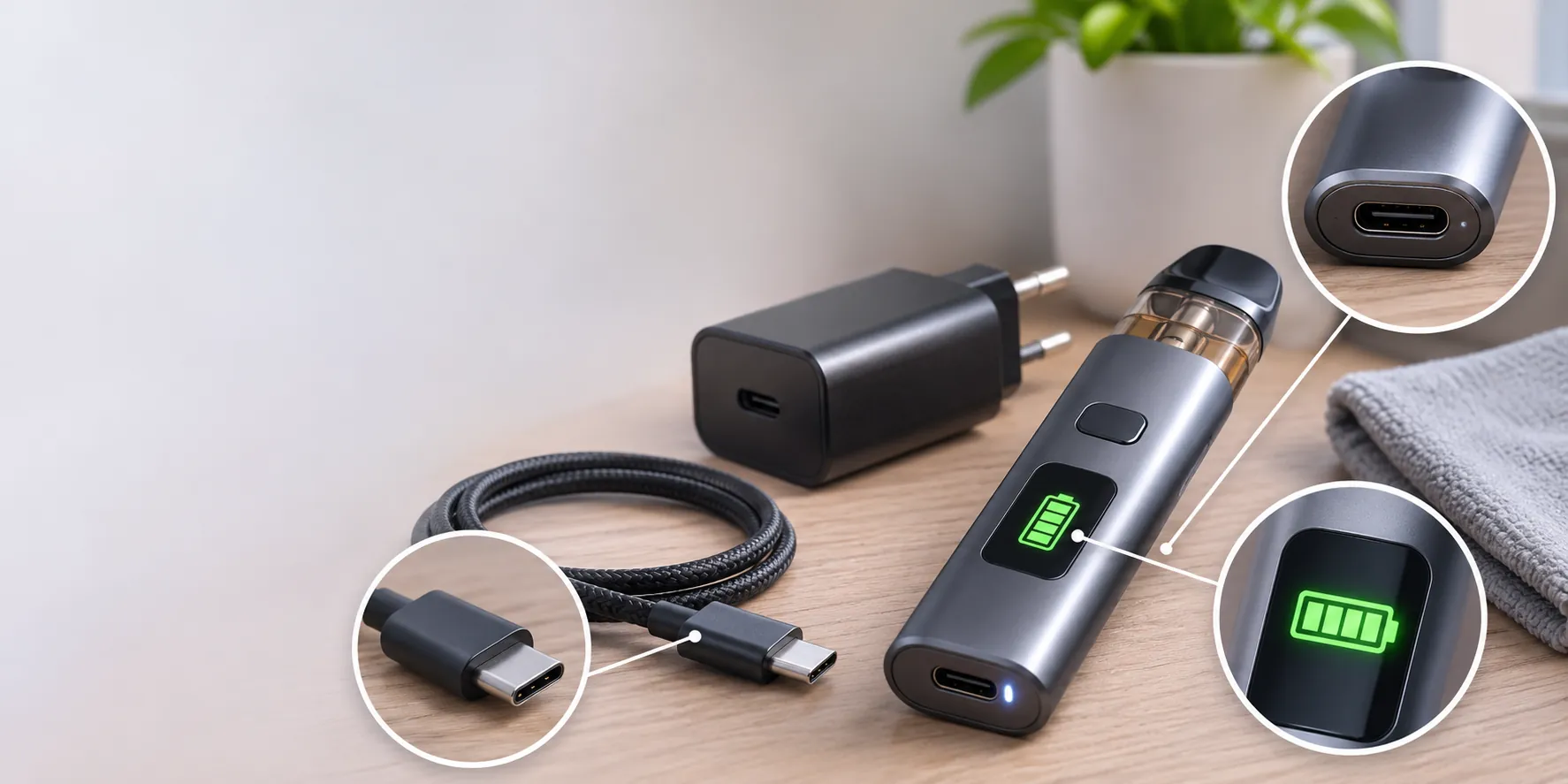
A worn cable, a connector that is not fully inserted or an unsuitable power supply may prevent charging from starting. Examine the parts without modifying them. If the device is intact and dry, check the connection using a compatible cable known to be in good condition.
Follow the input specifications and charging method stated by the manufacturer. Avoid unidentified adapters, improvised connections and repeated plugging in when the device behaves abnormally.
2. The USB port is dirty or damaged
A build-up of dust or a damaged connector can interfere with the electrical contact. After unplugging and switching off the device, a visual inspection of the port can sometimes reveal the problem. Wipe only accessible external surfaces with a soft, dry cloth.
Avoid: scraping the inside of the connector, using a needle, pouring alcohol or water into it, blowing hot air into it or attempting to straighten a contact. If the connector is deformed or liquid may have entered the casing, do not recharge the device before it has been assessed.
3. The battery is flat, worn or faulty
When the battery is deeply discharged, the screen may remain off at the beginning of a normal charging cycle on some models. Check the manual for the expected indicators and timings. If the device does not respond after the normal procedure, do not try to 'revive' the battery using improvised methods.
Noticeably shorter battery life, charging that regularly stops or unusual overheating may indicate deterioration. These symptoms alone, however, cannot identify which component is at fault.
4. Built-in batteries and removable cells require different checks
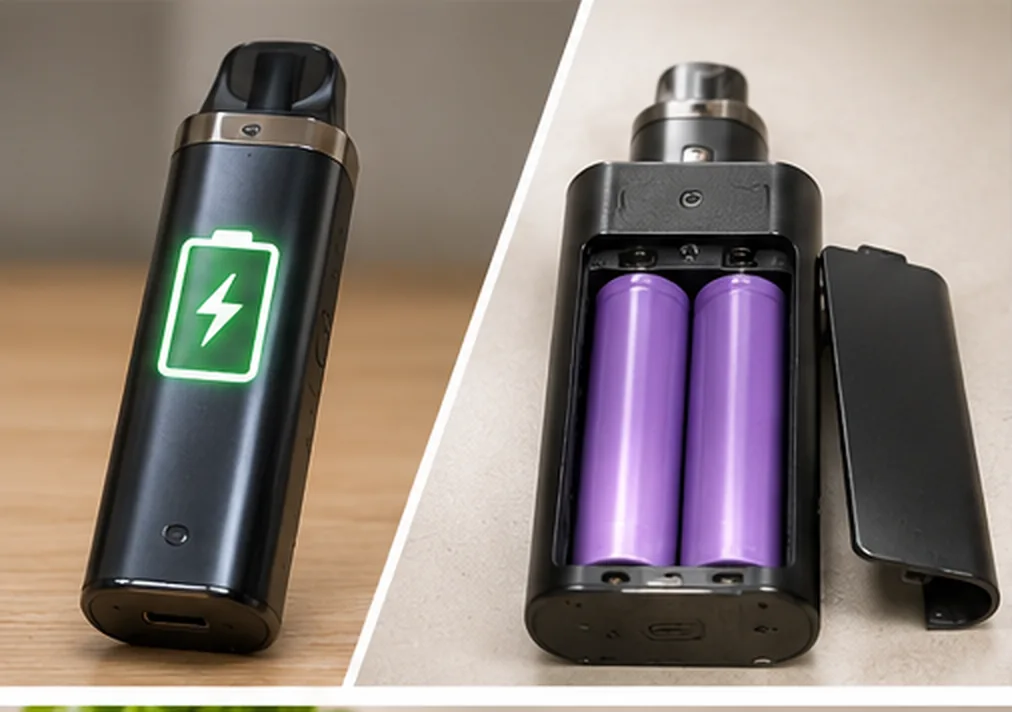
Device with a built-in battery
The battery forms part of the casing. Users must not open, puncture, unsolder or replace it unless the manufacturer expressly provides for that procedure. If charging remains impossible after the permitted external checks, contact after-sales support or a qualified professional.
Device with removable battery cells
If the manual permits removal, switch off the device and visually check the cells and their compartment. A cell with torn wrapping, deformation, moisture or unusual heat must not be used or recharged. Observe the polarity and types recommended by the manufacturer. If an external charger is specified, it must be compatible with the type of cell concerned.
Never carry removable battery cells loose alongside keys or coins: use a suitable insulated case.
Understanding the problem from its symptoms
| Symptom observed | Cautious check |
|---|---|
| No indicator when plugged in | Cable condition, power-supply compatibility and the indicators described in the manual. |
| The cable fits loosely | Inspect the connector; do not force it if the port appears deformed. |
| Charging starts, then stops | Check external connections; stop trying if the problem recurs. |
| The screen stays black after charging | Power-on or unlocking procedure specific to the model. |
| The battery level drops quickly | General condition and age of the battery; seek a diagnosis if the problem persists. |
| Excessive heat, deformation or unusual smell | Stop using and charging immediately; do not attempt repairs. |
This table helps guide the checks; it does not replace a technical diagnosis.
What precautions should you take when charging?
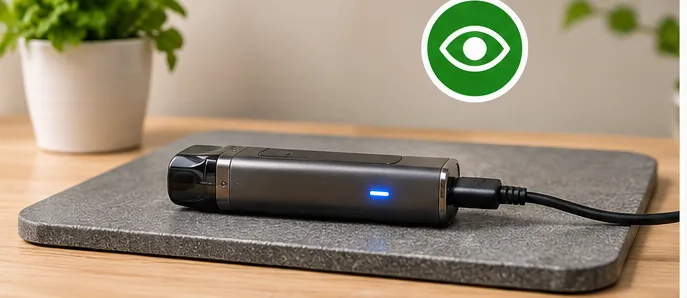
- Only use a compatible charger and power supply in accordance with the manual.
- Charge on a flat, stable, non-combustible surface, away from fabrics and heat sources.
- Never leave the device charging unattended or while asleep.
- Disconnect it when charging is complete, following the manufacturer's instructions.
- Do not use or charge a device that is wet or damaged.
- Do not open a built-in battery or attempt to charge it directly with wires or a makeshift power supply.
If you notice smoke, hissing, a suspicious smell or severe overheating, avoid handling the device unnecessarily. Move away, get people to safety and contact the emergency services if there is a danger or fire starts (18 or 112 in France).
What if charging still does not work?
If the permitted external checks do not resolve the problem, stop trying. Note the model reference, the indicator lights observed, the type of cable used and the circumstances of the fault. This information helps the manufacturer, the retailer's after-sales service or a competent repairer assess the device.
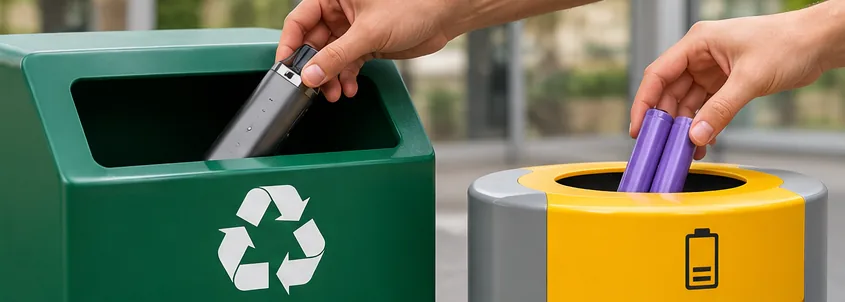
A device that is permanently out of service must be collected as waste electrical and electronic equipment. Do not put it in household rubbish. A suitable collection point or recycling centre can accept it; accessible removable cells are collected separately in accordance with the applicable rules.
FAQ: electronic cigarette not charging
Why has my electronic cigarette stopped charging via USB-C?
The cable, power supply, USB-C port or internal circuitry may be responsible. Check only undamaged external components and the power-supply compatibility specified in the manual. A damaged port requires a diagnosis.
Why will my pod no longer switch on?
It may be switched off, locked, discharged or faulty. Indicator meanings and power-on methods vary between models. Read the manual before doing anything else.
Can I use my phone charger?
Only if the electronic cigarette manufacturer states that the power supply and cable are compatible. Having a USB-C port is not enough to guarantee compatibility.
Can I charge an electronic cigarette if its USB port is damp?
No. Stop using it and do not plug in the cable. If water or e-liquid may have reached the electronics, have the device assessed before attempting to charge it.
Can a built-in battery be replaced at home?
Do not open the casing or work on the battery unless the manufacturer expressly allows this operation. A device that cannot be repaired must be taken to an appropriate collection scheme.
Is it dangerous to leave an electronic cigarette charging overnight?
Yes, this is discouraged: the battery should be charged under supervision, on a suitable surface, and disconnected once charging is complete.
Key points
A device failing to charge does not necessarily mean its battery is no longer serviceable. The first checks concern the cable, power supply, port and indicators, always following the manual. If there is liquid, deformation, overheating or persistent abnormal behaviour, stop attempting to charge it and have the device checked. Safety takes priority over any attempt to get it working again.